
Automation and Variability
The Boeing 737-800 can be flown with, without, or partly with automation. The combinations that can be used, how they work, and more importantly when to use them, can fill a book.
The first point to take on board is that there is no absolute correct method for takeoff and climb.
SECTION ONE: Takeoff Guideline (1-20)
The following procedures assume essential elements of pre-flight have been completed (for example, correct set-up of CDU).
1. Using the Mode Control Panel (MCP), dial into the altitude window an appropriate target altitude, for example 13,000 feet.
2. Command speed is set in the MCP speed window. The speed is set to V2. V2 is determined by calculations made by the Flight Management Computer (FMC) based on aircraft weight, environmental conditions and several other parameters.
Important Points:
-
V2 is the minimum takeoff safety speed and provides at least 30° bank capability with takeoff flaps set. This speed provides a safe envelope to fly with one engine (if an engine failure occurs).
-
You can fly either +15 or +20 knots (maximum +25 knots) above the V2 command speed. This is done for a number of reasons: to lower or increase pitch due to the aircraft’s weight, or to take into account other environmental variables (this assumes both engines operational), or it is dictated by airline policy.
-
A white-coloured airspeed bug is displayed at V2 +15/20 on the speed tape (part of the PFD). V2+15 knots provides 40° bank capability with takeoff flaps set. The bug is a visual aid to indicate the correct climb-out speed (bug is discussed later on).
-
Although not required, it is a good idea is to set the minimums selector to the Acceleration Height as indicated in the CDU. This will place a green line on the altitude tape of the PFD at the height at which the aircraft’s nose is to be lowered and flap retraction to begin. This is a visual aid.
3. Toggle both Flight Director (FD) switches to the O’ position (pilot flying side first).
4. Set flaps 5 and using the electric trim switch on the yoke, trim the aircraft to the correct trim figure for takeoff. The trim figure is shown on the CDU (for example, 5.5 degrees) and is calculated dependent upon aircraft weight with passengers and fuel. Normally the trim figure will place the trim tabs somewhere within the green band on the throttle quadrant. Takeoff should not occur if the trim tabs are outside of the green band.
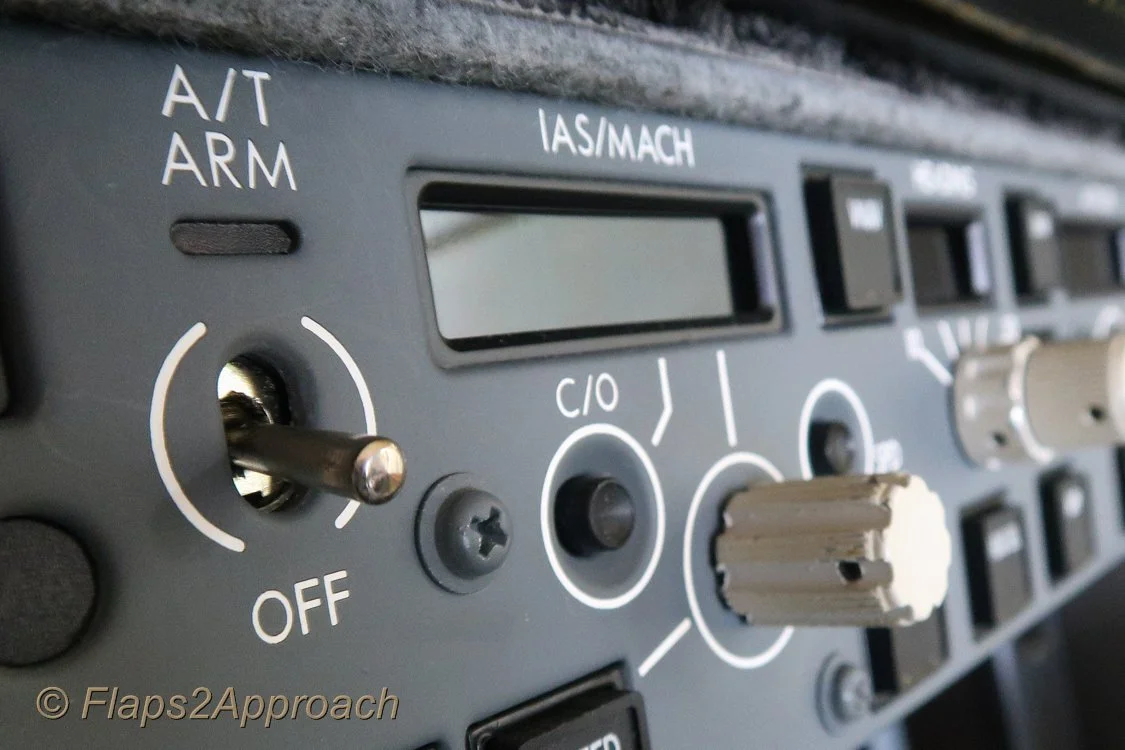
5. Arm the autothrottle (A/T) by moving the toggle on the MCP to ARM. This may differ between airlines (when to arm the A/T) Consult the FCOM & FCTM.
6. Release the parking brake and manually advance the thrust levers to around 40%N1. %N1 can be airline specific with some airlines recommending 60%N1. Consult the FCOM & FCTM.
7. Monitor the EGT on the EICAS and when there is a decrease in EGT and the throttles are stabilised, either:
-
Advance the thrust levers to takeoff thrust (if hand flying); or,
-
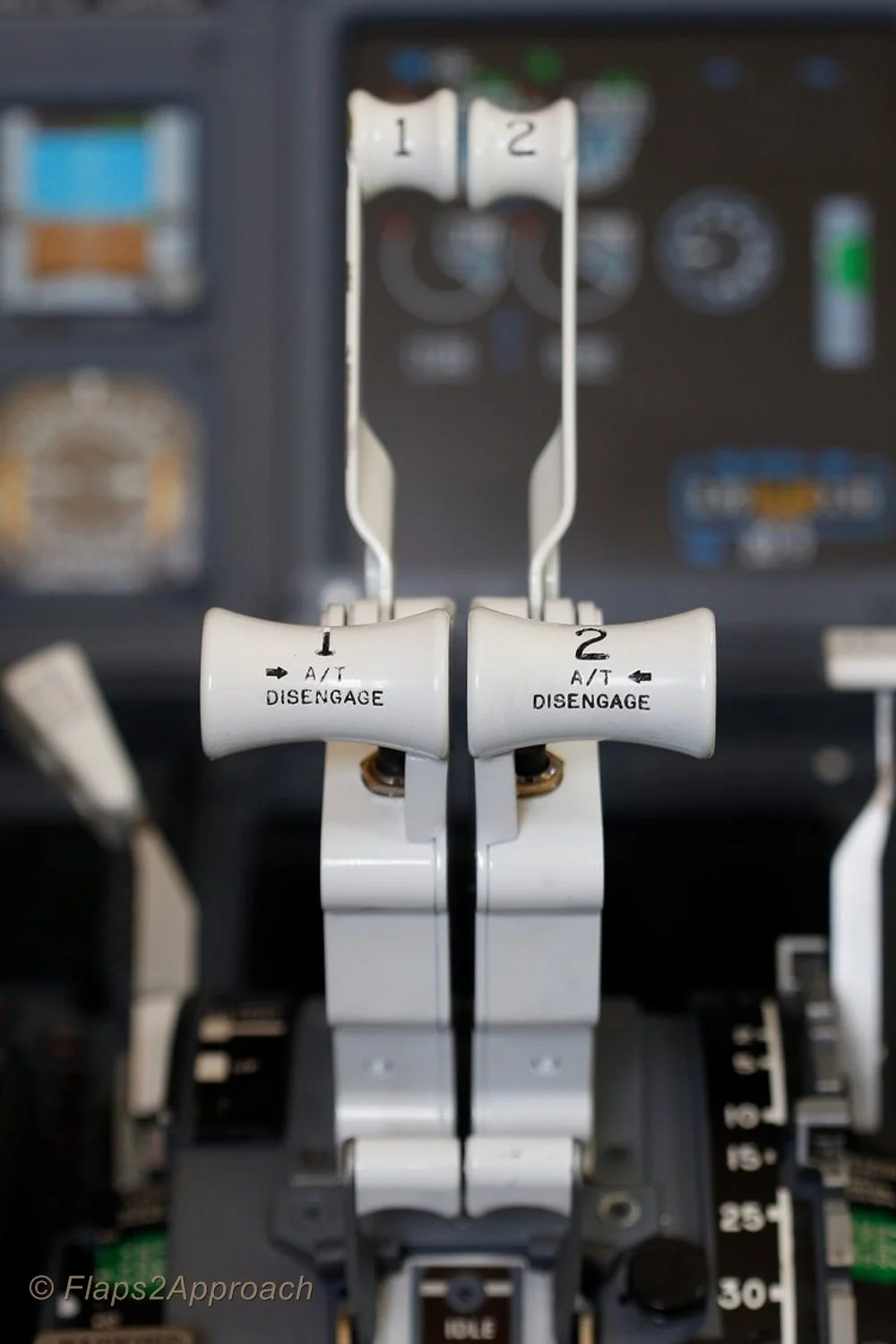
Press one or both TOGA buttons if wishing the autothrottle system to be selected. If the autothrottle system has been selected for takeoff, both thrust levers will automatically begin to advance to the correct %N1 output calculated by the Flight Management System.
Interesting Point:
-
After takeoff configuration is complete, and with the parking brake in the OFF position, some flight crews quickly advance and retard the thrust levers. The purpose being to check for errors in the takeoff configuration. An error will trigger the audible configuration horn when the thrust levers are advanced.
-
Become conversant with derates. Using a particular derate is normal practice, but in particular will help control over-pitching and high vertical speeds, which are a common occurrence when the aircraft is light (minimal fuel load, passengers and/or cargo).
Important Points:
-
You do not have to stop the aircraft on the runway prior to initiating 40%N1. A rolling takeoff procedure is often recommended, as this expedites the takeoff (uses less runway length) and reduces the risk of engine damage from a foreign object being ingested into the engine (engine surge/stall due to a tailwind or crosswind).
-
When the thrust has reached 40%N1, wait for it to stabilise (roughly 2-3 seconds). Look at the N1 thrust arcs and the EGT gauge (on the EICAS display). Both N1 arcs must be stable and the EGT values decreasing slightly. In the real aircraft, the EGT should reduce between 10C-20C after N1 has stabilised at 40%. If the engines are NOT allowed to stabilise, prior to advancing the thrust levers, the takeoff distance can be adversely affected.
-
There is considerable confusion around when to actually press the TOGA buttons. As stated, %40N1 is common, but some airline procedures indicate 60%N1, while others recommend a staged approach – meaning, initially advance the thrust levers to 40%N1, allow the thrust to stabilise, and then advance the thrust levers to 70-80%N1 and press TOGA.
-
Do not push the thrust levers forward of the target %N1 – let the autothrottle do its job (otherwise you will not know if the autothrottle system has failed). See Point 10 concerning hand placement.
-
Ensure the autothrottle has reached the target %N1 by 60 knots ground speed. If not, execute a Rejected Takeoff (RTO).
-
Unless you select a different mode, the TOGA command mode that was engaged at takeoff (assuming you used the autothrottle system), will remain engaged until you reach the assigned altitude indicated on the MCP.
-
Selecting N1 on the MCP does not disengage TOGA mode. If you want to disengage TOGA mode, the Flight Director switches must be toggled to the OFF position, or another vertical mode selected.
-
In some simulators that use ProSim737 software (Version 2 & 3), you will notice that when throttle arm is displayed on the PFD, the throttle will retard slightly (%N1). This is NOT normal and is a ProSim737 software glitch. The issue is easily resolved by moving the thrust levers forward slightly. This glitch does not appear to cause other problems.
8. Maintain slight forward pressure on the control column to aid in tyre adhesion to the runway. Focus on the runway approximately three-quarters in front of the aircraft. This will assist you to maintain visual awareness and to keep the aircraft on the centreline. Use rudder and aileron input to control any crosswind.
9. During the initial takeoff roll, the pilot flying should place their hand on the throttle levers in readiness for a rejected takeoff (RTO). The pilot not flying should place his hand behind the throttle levers. Hand placement facilitates the least physical movement should an RTO be required.
10. The pilot not flying will call out 80 Knots Pilot flying should slowly release the pressure on the control column so that it is in the neutral position. Soon after the aircraft will pass through the V1 speed (this speed is displayed on the speed tape). Takeoff is mandatory at V1, and Rejected Takeoff (RTO) is now not possible. The pilot flying, to reaffirm this decision, should remove his or her hands from the throttles; thereby, reinforcing the must fly rule. (see important points below).
11. At Vr (rotation), pilot not flying calls Rotate. Pilot flying slowly and purposely initiates a smooth continuous rotation at a rate of no more than 2 to 3 degrees per second to an initial target pitch attitude of 8-10 degrees (15 degrees maximum).
Important Points:
-
Normal takeoff attitude for the 737-800 is between 8 and 10 degrees. This provides 20 inches of tail clearance at flaps 1 and 5. Tail contact will occur at 11 degrees of pitch (if the aircraft is still on or close to the ground).
-
Takeoff at a low thrust setting (low excess energy, low weight, etc) will result in a lower initial pitch attitude target to achieve the desired climb speed.
-
The correct takeoff attitude is achieved in approximately 3 to 4 seconds after rotation (depending on airplane weight and thrust setting).
-
Point 10 (above) discusses hand placement during the takeoff roll. Another method used differentiates responsibility between the Captain and First Officer. The Captain as Pilot in Command (PIC) will always have control of the thrust levers, while the pilot flying (First Officer) will concentrate solely on the takeoff with both hands on the control column. Removal of the hand after V1 is a standard operational procedure (SOP). This assumes that the First Officer will be pilot flying.
12. Following takeoff, continue to raise the aircraft’s nose smoothly at a rate of no more than 2 to 3 degrees per second toward 15 degrees pitch attitude. The Flight Director (FD) cues (pitch command bars) will probably indicate approximately 15 degrees.
Be aware that the cues provided by the Flight Director may on occasion be spurious; therefore, learn to see through the cues to the actual aircraft horizon line.
-
The Flight Director pitch command is NOT used during rotation.
13. At this stage, you most likely will need to trim the aircraft to maintain minimum back pressure (neutral stick) on the control column. The 737 aircraft is usually trimmed to enable flight with no pressure on the control column. It is quite normal, following rotation, to trim down a tad to achieve neutral loading on the control column. Do not trim during the actual rotation of the aircraft.
14. When positive rate has been achieved, and double checked against both the actual speed the aircraft is flying at (see speed tape on PFD), and the vertical speed indicator, the pilot flying will call Gear Up and the pilot not flying will raise the gear to minimize drag and allow air speed to increase. The pilot not flying will also announce Gear Is Up when the gear has been retracted successfully (green lights on the MIP have extinguished).
15. The Flight Director will command a pitch to maintain an airspeed of V2 +15/20. Follow the Flight Director cues (pitch command bar), or target a specific vertical speed. The vertical speed will differ widely when following the FD cues as it depends on weight, fuel, derates, etc. If not using the FD, try to maintain a target vertical speed (V/S) of ~2500 feet per minute.
Important Points:
-
V2 +15/20 is the optimum climb speed with takeoff flaps (flaps 5). It results in maximum altitude gain in the shortest distance from when the aircraft left the runway.
-
If following rotation the FD cues appear to be incorrect, or the pitch appears to be too great, ignore the FD and follow vertical speed guidance.
-
Bear in mind that vertical speed has a direct relationship to aircraft weight – if aircraft weight is low to moderate, use reduced takeoff thrust (derates) or Assumed Temperature Method to achieve a recommended vertical speed.
-
If LNAV and VNAV were selected on the MCP prior to takeoff, LNAV will provide FD inputs at 50 feet and VNAV will engage at 400 feet.
-
When VNAV is engaged, the speed of the aircraft will be automatically updated on the speed tape and the speed window on the MCP will become blank.
-
If LNAV and VNAV have not been selected prior to takeoff, it is common practice to manually select a roll mode (LNAV) at 400 feet. VNAV is usually selected after flaps UP.
-
If LNAV and VNAV has been selected prior to takeoff. LNAV is advisory. VNAV will automatically update the autothrottle system. The aircraft will not fly the LNAV course or the VNAV vertical profile until the autopilot is selected (CMD) on the MCP.
16. Follow and fly the cues indicated by the FD (automation), or maintain a command speed at V2 +15/20 (hand flying) until you reach Acceleration Height (AH). AH is often stipulated by company policy and is usually between 1000-1500 feet ASL. AH can be changed in the CDU.
17. At or when passing through Acceleration Height, a number of tasks may need to be completed. These tasks will cause the PFD display to change.
-
The nose of the aircraft is to be lowered (pitch decreased). This will increase airspeed and lower vertical speed. A rough estimate to target is half the vertical speed used at takeoff.
-
The flaps should be retracted as per the Flaps Retraction Schedule. If noise abatement is necessary, flaps retraction may occur at the Thrust Reduction Height.
-
As the aircraft accelerates, move the flap lever to the next detent when the airspeed passes the flap‑retraction speed for the current setting. The applicable flap detent is shown in green on the PFD speed tape.
Example – Flaps 5 Takeoff:
As the aircraft accelerates through the Flaps 5 detent, select Flaps 1.
When the airspeed passes the Flaps 1 detent, select Flaps UP.
See Interesting Points (second dot point) regarding the Speed Trend Vector).
-
Do not retract flaps unless the aircraft is accelerating, and the airspeed is at, or greater than V2 +15/20 – this ensures the speed is within the manoeuvre margin allowing for over-bank protection. Do not retract flaps below 1000 feet RA.
-
When flaps retraction commences, the airspeed bug will disappear from the speed tape on the PFD.
-
If hand flying (VNAV not selected), at Acceleration Height set the speed in the speed window of the MCP to a speed that corresponds to the flaps UP speed. The flaps UP speed can be found displayed on the speed tape on the PFD. This is often referred to as Bugging Up.
-
Some flight crews when reaching Acceleration Height call Level Change, Set Top Bug. This ensures that TOGA speed is disengaged (by selecting another mode).
-
If VNAV has been selected prior takeoff, the flaps UP speed will be automatically populated and displayed on the speed tape on the PFD. However, the speed will not be displayed in the MCP speed window (the window will be blank).
18. When the aircraft flies through the flaps UP speed, and after the flaps have been fully retracted, the desired climb speed is dialed into the speed window of the MCP (If VNAV is not selected). If VNAV has been selected, the climb speed will be automatically populated and displayed on the PFD (as will the cruise speed when the aircraft reaches cruise altitude).
Important Points:
-
If VNAV is selected, the speed window in the MCP is blank. However, if VNAV is not selected the speed window is open.
-
If automation and the autothrottle system (TOGA) is not being used, and you are hand flying the aircraft, Press N1 on the MCP (if desired) at Acceleration Height and follow FD cues to flaps UP speed.
-
When N1 is selected, the autothrottle will control the speed of the aircraft to the N1 limit set by the FMS. Selecting N1 ensures the aircraft has maximum power (climb thrust) in case of a single engine failure.
-
If the autothrottle system (TOGA) has been used during takeoff, N1 is automatically selected (by the FMS) at Thrust Reduction Altitude (usually ~1500 feet RA). There is no need to press the N1 button on the MCP.
-
N1 mode doesn’t control the aircraft’s speed – it controls thrust. The autothrottle will set the maximum N1 thrust (power). The aircraft’s speed is controlled by the pitch attitude.
-
Selecting N1 on the MCP does not provide any form of speed protection.
-
Acceleration Height can be changed in the CDU.
-
The auotpilot should NOT be engaged prior to flaps UP. This is often stipulated by airline policy,
19. The aircraft is usually flown at a speed no faster than 250 KIAS to 10,000 feet. At 10,000 feet, speed is usually increased to 270 KIAS. Environmental factors and/or ATC may result in differing speeds being set.
At this stage, the aircraft can be hand flown with or without VNAV and/or the autothrottle. You can either:
-
Continue to hand fly the aircraft to altitude. Appropriate climb and cruise speeds will need to be dialed into the MCP; or,
-
Select a suitable pitch and roll mode (LVL CHG, V/S, LNAV & VNAV) and engage the autopilot or select CWS. If a pitch and roll mode is selected and the autopilot not selected, the FD will provide visual cues.
20. At 10,000 feet, dial 270 KIAS into the MCP speed window and then at 12,000 feet dial in 290 KIAS. Follow the Flight Director cues, or if the FD is not being used, maintain roughly 2000-2500 fpm vertical speed. At cruise altitude, transition to level flight and select on the MCP speed window 290-310 KIAS or whatever the optimum speed is (see CDU).
Interesting Points:
-
Many pilots had fly the aircraft to 10,000 feet before engaging the autopilot. To enhance situational awareness, it is common practice, if hand flying, to have LNAV and VNAV selected. This enables the pilot to follow the navigation cues displayed on the PFD.
-
Located on the speed tape on the PFD, is a green coloured line called a Speed Trend Vector (STV). The Speed Trend Vector will display an upwards, neutral or downwards facing arrow. During climb-out, the Speed Trend Vector arrow can be used to determine how long it will take for the aircraft, at the current thrust setting, to reach the speed that the arrow is pointing at (usually around 10 seconds). Therefore, when the upward arrow reaches the flaps indicator, the aircraft will pass through this flaps détente in approximately 10 seconds. The Speed Trend Vector can be used to help know when to initiate retraction of the flaps.
Summary
The above procedures are general. Specific airline policy for a particular airline may indicate otherwise. Likewise, there is considerable latitude to how the aircraft is flown, whether it be without automation selected, or with part or full automation selected.
It is very easy to become confused during the takeoff phase – especially in relation to automation, V speeds, acceleration heights, and how and when to change from hand flying to automation The takeoff phase occurs quickly, there is a lot to do, and quite a bit to remember – there is little time to consult a manual or cheat sheet.
SECTION TWO: Takeoff Guideline (LNAV, VNAV & autopilot selected prior to takeoff)
Although I have mentioned some of the VNAV procedures in the above discussion, I though it pertinent to include this section which will address a takeoff with LNAV and VNAV selected (points 1-10 below). This information relates to FMS software U10.8A.
Important Point:
-
The aircraft requires information from the FMS when automation (LNAV & VNAV) is used. For the takeoff to be successful, the PERF INIT and navigation data must be inputted into the CDU.
The following 10 points outline a VNAV selected takeoff:
-
Select from the CDU a Standard Instrument Departure (SID) and press the illuminated annunciator (EXEC) on the CDU.
-
Verify the Flight Director switches are selected to the ON.
-
ARM LNAV and VNAV on the MCP (press the LNAV & VNAV buttons on the MCP).
-
ARM the Autopilot (press CMD A/B) and set the Command Speed in the speed window of the MCP to V2 (The V2 speed can be found in the takeoff page of the CDU).
-
Takeoff (as discussed earlier).
-
VNAV will engage at 400 feet and the Flight Director will command V2 +15/20. The appropriate bugs on the PFD speed tape will be populated automatically. The speed should always be crosschecked against the actual speed that the aircraft is flying and the white bug on the speed tape.
-
At Acceleration Height (between ~1000-1500 feet RA or as indicated in the CDU) the Flight Director will command a speed 10 knots above the FLAPS UP speed.
-
Lower the aircraft’s nose and follow the FD cues (command pitch bars).
-
Commence FLAPS retraction and follow the Flaps Retraction Schedule (Point 18 above).
-
As the FLAPS retract into the UP position the Flight Director will command 250 knots.
-
Select CMD A/B (autopilot) or fly to 10,000 feet or cruise altitude and select autopilot.
SECTION THREE: Additional Information – Summarised Important Points
Understanding %N1
To understand the various levels of automation it is important to have a relative understanding of %N1.
N1 is a measurement in percent (%) of the maximum RPM of an engine, where maximum RPM is certified at the rated power output for the engine (most simple explanation). Therefore, 100%N1 is maximum thrust, while 0%N1 is no thrust. (%)N1 will be at a percentage commensurate with the settings that have been inputted to the CDU (aircraft weight, fuel, derates, etc).
Important Points:
-
The autothrottle logic when TOGA selected controls the aircraft’s thrust (%N1). The aircraft’s speed is controlled by pitch (attitude).
-
To clarify what automated system is controlling the aircraft, always refer to the Flight Mode Annunciations (FMA) in the PFD (Refer to Table 1 for a quick overview of annunciations displayed during the takeoff).
Common Practice – What to Select For Takeoff
It is not the purpose of this article to rewrite the FCOM or FCTM. Needless to say, there are several combinations, that can be selected at varying stages of flight. All are at the discretion of the pilot flying, or are stipulated as part of airline policy.
After Acceleration Height has been reached, the aircraft’s nose lowered to increase speed, and the flaps retracted, it is common practice to use LVL CHG, V/S, or LNAV and VNAV, and either hand fly the aircraft, select CWS, or select the autopilot (usually at or above 3000 feet, but certainly after flaps UP) and fly to cruise altitude.
If the takeoff does not use LNAV and VNAV (not selected on the MCP) LNAV can be selected at, or after 50 feet RA and VNAV can be selected at, or after 400 feet RA. After either of these two modes have been selected, the Flight Director cues will automatically update to reflect the data that has been inputted into the CDU.
Theoretically, a crew can hand fly the aircraft following the FD cues at V2 +15/20 to the altitude set in the MCP. However, there will be no speed protection, and if the pitch cues recommended by the FD are not followed, then the airspeed may be either below or above the optimal setting or safety envelope. Selecting an automation mode (not V/S) is what engages the speed protection (speed protection will be discussed shortly).
In the above scenario (assuming the aircraft is being hand flown), unless another vertical mode is selected, the aircraft will remain in TOGA command mode (thrust controlled by N1) until the altitude set in the MCP is reached. To deselect (cancel) TOGA as the command mode, another mode such as LVL CHG, VNAV or V/S will need to be selected. Altitude Hold (ALT HOLD) also deselects TOGA as does engaging the autopilot.
Flight crews typically hand fly the aircraft until the flaps are retracted (flaps UP) and the aircraft is in clean configuration. A command mode is then selected to continue the climb to cruise altitude. CWS or the autopilot may or may not be engaged.
Important Point:
-
It is important to understand what controls the various command modes. For example, LVL CHG is controlled by N1 and pitch. In this mode, the autothrottle will use full thrust, and the speed will be controlled by pitch.

TABLE 1: N1 MCP annunciation and FMA displays for common time events during takeoff and climb

TABLE 2: Throttle command modes for common time events during takeoff and climb. The flight crew can manually override the autothrottle logic by advancing or retarding the thrust levers by hand. This can only be done at certain phases of flight. Throttle online means that the crew can override the autothrottle logic, while Throttle offline means that the logic cannot be overridden
Speed Protection
One of the advantages when using the automated systems is the level of speed protection that some of the systems provide. Speed protection means that the autothrottle logic will not allow the aircraft’s speed to be degraded to a value, by which the aircraft can stall or be below maneuvering speed.
Speed protection is not active with every automated system. Whether speed protection is active depends upon the U version of the FMS software in use, the automation mode selected, and whether the flaps are extended or fully retracted.
-
The following examples indicate whether speed protection is available;
Level Change (LVL CHG): When you select LVL CHG, the speed window will open allowing you enter a desired speed. LVL CHG is speed protected, meaning that the aircraft’s speed will not increase beyond the speed inputted into the MCP. This is because LVL CHG is controlled by N1 (thrust) while the aircraft’s speed is controlled by pitch.
VNAV: VNAV has active speed protection for the leading edge devices (U10.8A and above) . This is why VNAV can be selected on the ground.
Vertical Speed (V/S): V/S provides no speed protection. This is because V/S holds a set vertical speed. In V/S, if you are not vigilant, you can easily encounter an overspeed or under speed situation.
N1: Selecting N1 by pressing the N1 button on the MCP (without any other mode selected) does not provide speed protection. Using the N1 mode, only ensures maximum thrust is generated.
Important Points:
-
Speed protection is armed only for some levels of automation.
-
It is imperative that you observe the Flight Mode Annunciator (FMA) to check that the aircraft is flying the mode intended.

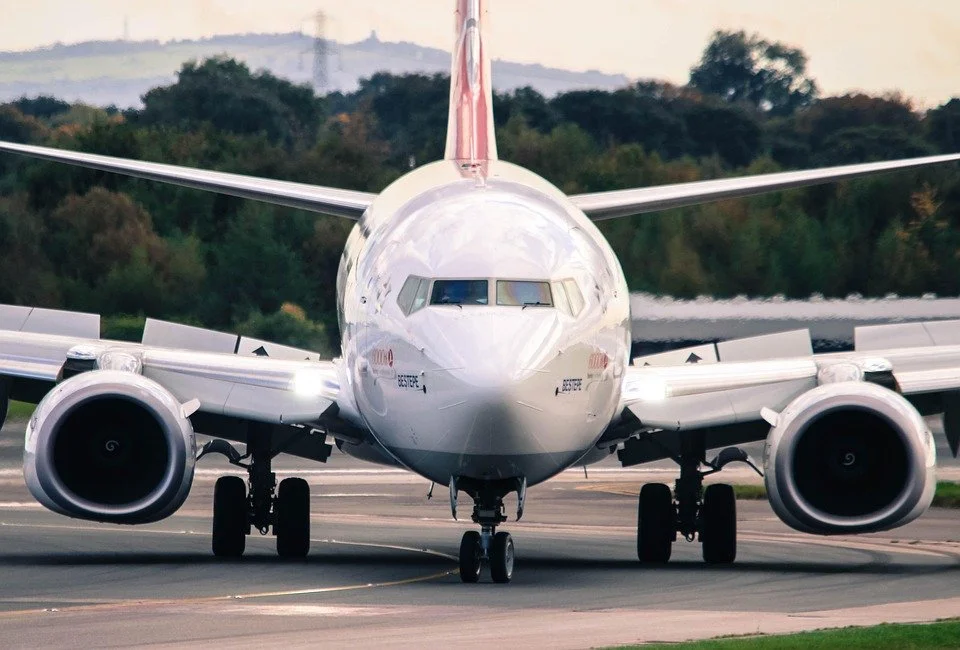
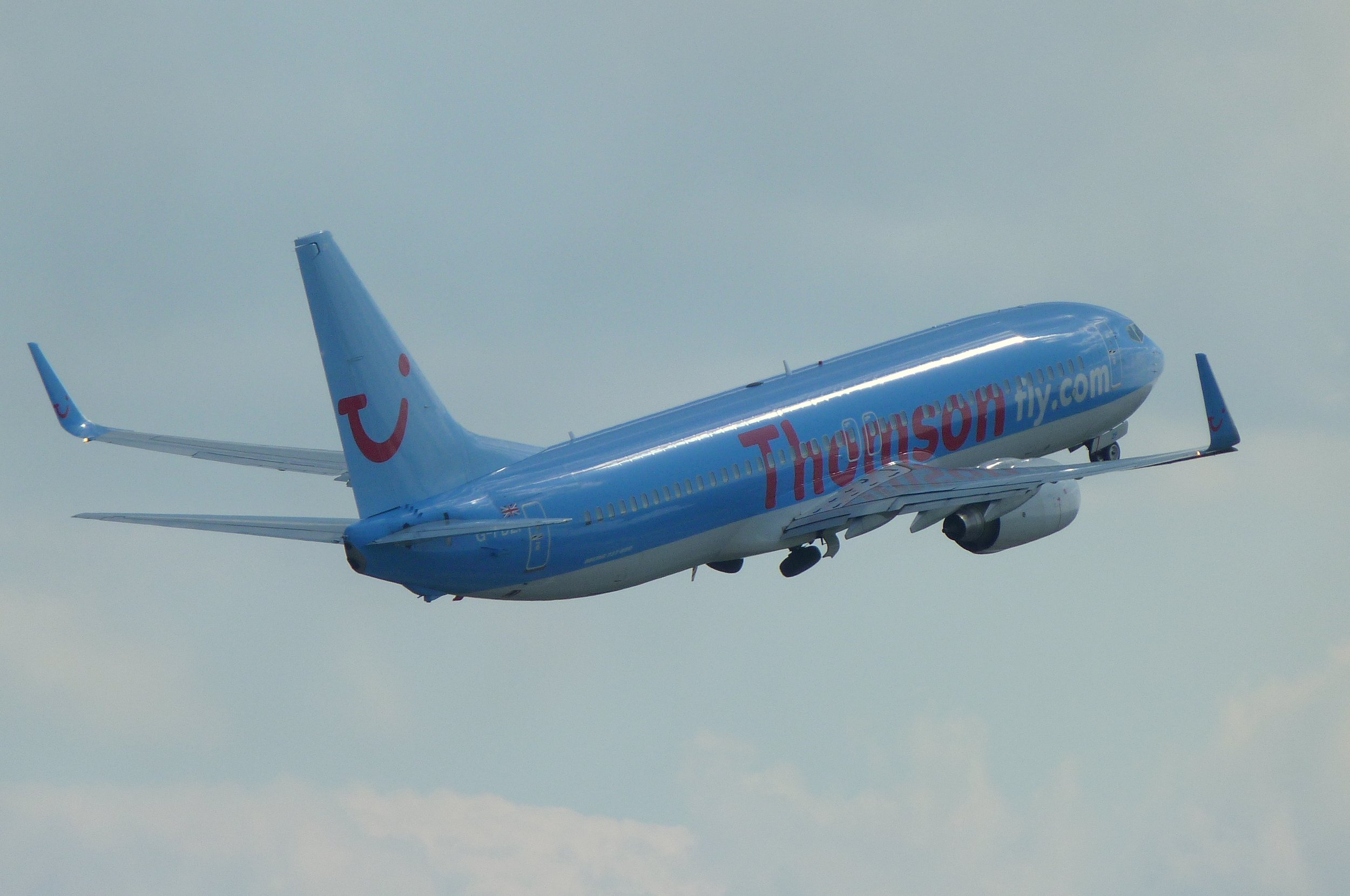
ryanair taking off from bristol airport england (Adrian Pingstone)., Ryanair Boeing 737-800 (EI-DWO) takes off from Bristol Airport, England, 23Aug2014 arp, marked as public domain, more details on Wikimedia Commons)
Always Think Ahead
As stated, the takeoff phase happens quickly, especially if the aircraft’s weight is light (cargo, passengers and fuel).
Soon after rotation (Vr), the aircraft will be at Acceleration Height and beyond… It’s important to remain vigilant and know what’s happening, and to think one step ahead of the automated system that is controlling the aircraft. You do not want the automation to get ahead of you and hear yourself thinking what’s it doing now.
Aircraft Weight
Although briefly discussed earlier, I would like to enlarge upon how the weight of the aircraft can have an affect on takeoff and climb. An aircraft’s weight is altered by the volume of fuel on board, the number of passengers, and the amount of cargo carried in the holds.
In some respects, a heavily laden aircraft, although requiring higher thrust settings and longer runway length, will be more stable than the same aircraft at a lighter weight. A lightly laden aircraft will use less runway and, unless thrust settings are managed accordingly, will be prone to an excessive rate of climb (high vertical speed and high pitch angle). This can lead to tail strike and uncomfortably high rates of ascent.
To manage this, flight crews often limit the takeoff thrust by using one of several means. Typically, a thrust derate is used with either CLB 1 or CLB 2 set in the CDU, or an assumed temperature thrust reduction is used. Selecting either option will cause a longer takeoff roll (less thrust) and delay the rotation point (Vr), however, the climb-out will be less aggressive and more manageable.
Final Call
Reiterating, the above guidelines are generalist only. Flight crews use varying methods to fly the aircraft, and often the method used will be chosen based on company policy, crew experience, aircraft weight, and other environmental factors, such as runway length, weather and winds.
Additional Information:
-
Acceleration Height, Thrust Reduction Height, and Derated Thrust
-
Flight Management System (FMS) Software and its Relationship with LNAV and VNAV
Future Articles
Time permitting, other articles will be published dealing with: descent, initial approach, and landing (ILS, VNAV, Circle to Land and RNAV).
Disclaimer
The content in this post has been proof read for accuracy, however, explaining procedures that are convoluted, technical, and somewhat subjective can be challenging. Errors on occasion present themselves. If you observe an error (not a particular airline policy), please contact me so it can rectified.
Footnotes
(1): For example, there are different protocols between FMC U10.6 and FMC U10.8 (especially when engaging VNAV and LNAV prior to takeoff). I have purposely not addressed these differences because they can become very confusing (another article will do this). As at writing (2020), ProSim737 uses U10.8A.

Acronyms and Glossary
-
AFDS – Autopilot Flight Director System
-
AH – Acceleration Height. The altitude above sea level that aircraft’s nose is lowered to gain speed for flap retraction. AH is usually 1000 or 1500 feet and is defined by company policy. In the US acceleration height is usually 800 feet RA
-
CDU, FMC & FMS – Control Display Unit / Flight Management Computer (term often used interchangeably). The visual part of the Flight Management System (FMS) that enables input of variables. FMS is the system and software (U10.8A). FMC is the actual computer, and the CDU is the hardware.
-
CLB 1/2 – Climb power
-
Command Mode – The mode of automation that controls thrust
-
EICAS – Engine Indicating and Crew Alerting System
-
F/D – Flight Director (Flight Director cues/crosshairs)
-
FMA – Flight Mode Annunciation located upper portion of Primary Flight Display (PFD)
-
KIAS – Knots Indicated Air Speed
-
LNAV – Lateral Navigation
-
LVL CHG – Level Change Command Mode
-
MCP – Mode Control Panel
-
N1 & N2 – N1 and N2 are the rotation speeds of the engine sections expressed as a percentage of a nominal value. … The first spool is the low pressure compressor (LP), that is N1 and the second spool is the high pressure compressor (HP), that is N2. The shafts of the engine are not connected and they operate separately. Often written N1 or %N1.
-
RTO – Rejected Take Off
-
T/O Power – Takeoff power
-
Throttle On & Offline – Indicates whether the throttle is being controlled by the A/T system
-
TOGA – To Go Around Command Mode
-
TRA – Thrust Reduction Altitude. The altitude that the engines reduce in power to increase engine longevity. The height is usually 1500 feet; however, the altitude can be altered in CDU
-
V/S – Vertical Speed Command Mode
-
V1 – is the Go/No go speed. You must fly after reaching V1 as a rejected take off (RTO) will not stop the aircraft before the runway ends
-
V2 – Takeoff safety speed. The speed at which the aircraft can safely takeoff with one engine inoperative (Engine Out safe climb speed)
-
VNAV – Vertical Navigation
-
Vr – Rotation Speed. This is the speed at which the pilot should begin pulling back on the control column to achieve a nose up pitch rate
-
Vr +15/20 – Rotation speed plus additional knots (defined by company policy)
-
Updated April 2021.
-
Updated March 2024.
-
Updated February 2025.
Hosting and paying server costs is expensive. Please consider helping to pay these costs if you find the website helpful to you. This site does not have advertising. Donation button will display Donate to Anaspides. Thank you













Comments (25)
MSA · 0 Likes
Thanks, just started line training on B 737-800, a great read along with the comments
Flaps2Approach · 0 Likes
Glad you found the information helpful. Good Luck, F2A
Flaps 2 Approach · 0 Likes
Mac · 0 Likes
Flaps 2 Approach · 1 Like
@ Racklefratz
Thank you for your comment, which could have been communicated less sarcastically,
I am well aware of the meaning of both words…
The mistake has been corrected.
All posts are checked by another person, however, typos and grammar mistakes creep in from time to time. Mistakes such as this are rectified when noted.
Regards, F2A
Racklefratz · 0 Likes
I’d be more likely to accept your advice if you knew how to spell.
Example: “I’ll also provide some incite into how flight crews fly the aircraft…..”
The word is “insight”, not “incite”. The two words mean very different things, and the ability to convey concepts and information is critically dependent on using the right words at the right time. WORDS MEAN THINGS.
Did I know what you MEANT to say? Obviously, yes. But the fact is, you didn’t say what you meant to say.
Give it some thought, and also, give thought to using some kind of editorial oversight if you’re unable to do that part on your own.
xxxxxxxxxxxxxx
Hello:
Thank you for your comment, which could have been communicated less sarcastically,
I am well aware of the meaning of both words…
The mistake has been corrected.
All posts are checked by another person, however, typos and grammar mistakes creep in from time to time. Mistakes such as this are rectified when noted.
Regards, F2A
trixmot · 0 Likes
Flaps 2 Approach · 0 Likes
InteR · 0 Likes
This site is one of the best for learning B737 real procedures, and lot more. This site is always updated, thats very important.
For that reason, this site is one of my favourites.
Nice job, Flaps2approach!!!
Flaps 2 Approach · 0 Likes
Hello Lonnie
Thank you for your very kind words. I’m glad the site and information is of benefit to you. Articles, like this one, are updated form time to time as time permits. Regards, F2A
Lonnie Bruhn · 0 Likes
This article and this site is a brilliant piece of work. Thank you so much for devoting your time and knowledge to share this valuable resource to sim pilots.
I knew most of this in general terms, but there were finer details that I now understand much more clearly than ever before because of this article. I now can moditore closer aspects of the take off phase as I climb out. Plus, I now have a better understanding of how I can fly to FL manually or at least to 10,000 ft. I can’t begin to tell you how fascinating and helpful your article was.
Flaps 2 Approach · 0 Likes
Thanks Carlos – I am glad the information was of help to you.
Regarding the ‘bug up’ speed you have asked about. Whether a flight crew do or do not do this is dependent upon the FMC software they are using. Earlier software requires the pilot to use bug up speed and then depress N1, while later software does not require this. A future post is planned to discuss this (when I have time).
Cheers, WilloW
Carlos Zegarra Ayesta · 0 Likes
Hello Mr F2A,
I was very puzzled about the correct procedures to perform a takeoff an climb in the 737 NG. So thanks for your clear and detailed explanations. Do it the right way adds a lot of reward to a flight. One small doubt, I have seen some pilots dialing the “bug up” speed first and then pushing N1, does it make any difference pushing N1 first and dialing the 220 speed after that?
Thanks for your great site
Carlos
Flaps 2 Approach · 0 Likes
HI John
Thanks for the note. The symbol ~ means approximately 2500. The ~ symbol can be hard to differentiate 🙂
Best, F2A
John R. Strohm · 0 Likes
In step 15, you have “try to maintain a target vertical speed (V/S) of -2500 feet per minute.”
I think maybe you meant “+2500 feet per minute” (climb vs. descend).
Nic · 0 Likes
An impressive guide for us cockpit builders, the level of details is incredible and it sure bits all those youtube tutorials.
Would you ever think writing a similar article for an ILS approach and landing?
Keep up the good work.
Nic
Flaps 2 Approach · 0 Likes
Hello Dee
Thank you for your kind words and I am pleased that you have gained something from the information in the website.
During the take off climb, flaps retraction is as per the bug speeds observed in the speed band on the PFD. If the bugs on the speed band are inoperative or are providing erroneous information, then flap retraction is to commence when the aircraft has reached a speed within 20 knots of flaps UP.
In some circumstances, if the speed during the initial climb out is particularly fast and the aircraft reaches 20 knots of flaps UP speed, then the flaps can be retracted to UP.
If you send me your e-mail (use the contact form) I will end a diagram to you which explains this in more detail. Best, F2A
Dee · 0 Likes
Hi Mr F2A,
This is an excellent article you have written and I am highly impressed at the level of detail and accuracy of the information you have presented on your website. I am most certained to bookmark it.
I do have a query about point 18 and I hope I’m not misunderstanding it. You mentioned one way is to begin flap retraction with 20kts of flap UP speed. This is in line with the FCTM mentioning ” During flap extraction/retraction, movement of flap to next position should be intitated when within 20kts of the recommended speed for the position.” There was no direct mention of flaps 5 retracted to flap 1, and then flap 1 to flap up. Am I right in assuming we can go straight from flap 5 to flap up if speed is within 20kts of flap UP speed?
The way I have been used to was to select flap 1 at V2 + 15 once past the acceleration height . When speed increases and speed tape on the PFD displays “1”, select flaps to Up.
I hope I don’t come off as pedantic to you, just curious if there has been more than one correct way of achieving the same outcome.
Kind Regards,
Dee
Ben · 0 Likes
Great post! I really enjoy your blog posts. I hope to build a simulator myself someday. In the meantime, I live vicariously through yours. One possible correction to Table 1 in the 80 KIAS V1 row – should it be “forward pressure on the yoke is slowly released” instead of “back pressure on the yoke is slowly released?”
Thanks Ben – I added to the erratum, F2A
Marian Tadmann · 0 Likes
thank you thank you thank you
Flaps 2 Approach · 0 Likes
Thanks for casting your eye over the information and making a comment Thomas. I welcome any criticism whether good or bad as this improves upon the accuracy of the information posted. SAFE travels, F2A
ThomasB737 · 0 Likes
An excellent post Willow. I fly with United Airlines and this post more or less covers off on the correct procedures. Certainly there is variability allowed in how the crew flies the aircraft – much of this variability is defined by company policy.
I enjoy reading your website an find it fascinating that these old bits of metal junk have second homes in private simulators. Blue sky always….. Thomas (F/O UA)
Flaps 2 Approach · 0 Likes
Hello;
A crew will normally only begin to select automation after the aircraft is cleaned up (flaps up).
Many crews choose to fly manually (no autothrottle and no autopilot to altitude, then they select automation. Others may choose to keep the aircraft in TOGA take off mode and fly manually to altitude (providing pitch and roll. The benefit doing this is that they have speed protection offered by the TOGA command mode). Remember, that pilots for the most part like to fly… This said, company policies may preclude this. I have been told that many crews favour using Level Change after flaps up
The FD will provide guidance after takeoff for as long as the TOGA command mode remains engaged. This is usually until reaching the altitude set on the MCP or until another form of automation is selected. With TOGA command mode engaged, you can fly manually (pitch and roll) following he FD cues.
If you deselect TOGA command mode – then yes you will loose FD guidance.
However, there are many ways to skin a cat…. If you want to fly fully manually (thrust, pitch and roll) after flaps up, then select Level Change and de-select the N1/speed option. This will provide FD guidance, but you will not have speed protection as provided by Level Change. You will need to use the throttle manually to a maintain airspeed.
This can be a complicated subject and the best way to learn is to actually spend a few hours practicing with the various methods available.
I hope this reply has helped you. F2A
Rob S · 0 Likes
Regarding point 19 – At flaps UP, either manually fly to altitude or engage automation (Level Change, VNAV, LNAV, V/S, CMD A/B engaged)
Can I just clarify, if flying manually to altitude it would still make sense to select automation such Level Change, VNAV, LNAV etc. without engaging CMD A/B. (otherwise the FD wont provide guidance?) Note this is a question not a statement.
Regards,
Elke · 0 Likes
WOW – as a new flyer this is really helpful to me. I cannot grasp everything as I am relatively new. Thanks for writing this as it must has taken quite some time. It’s great that your website is NOT littered with advertising. Thanks